AI Hair Color Changer
Preview hair dye shades, highlights, and balayage on your own photo before you color.
Upload a front-facing photo (JPG, PNG or WebP) or try our sample portrait. Choose a dye shade or describe custom highlights. 6 credits per HD look.
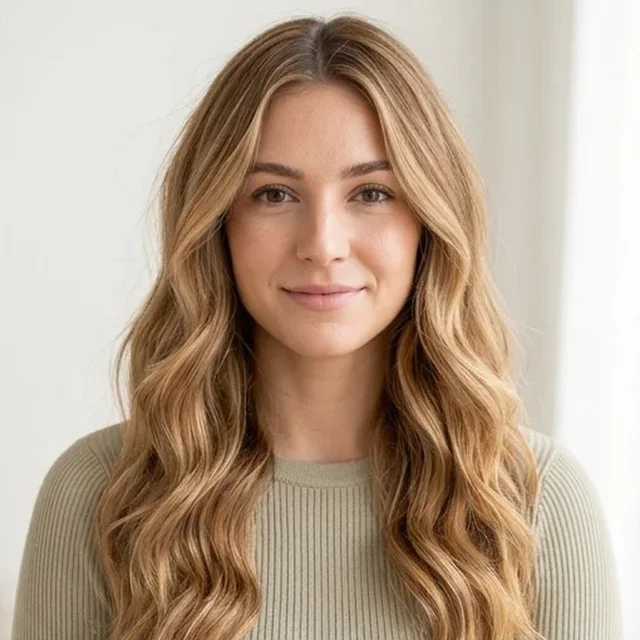

Drag slider left or right to compare the natural hair and dyed shade
AI-generated sample preview. Same haircut and face preserved.
How to preview hair color online
01 Upload a clear portrait
Use a front-facing photo in even natural light, or test with the built-in sample photo.
02 Pick a dye shade or balayage
Click a preset shade to preview instantly on our model, or type your exact custom color.
03 Generate HD look & compare
Review the 6-credit quote in the workspace, compare versions, and download your PNG.
Popular hair dye & balayage previews
- Test honey blonde balayage or copper before salon bleaching
- Compare warm vs. cool brown tones against your skin undertone
- Preview platinum silver or deep burgundy without commitment
- Bring a visual reference photo to your colorist appointment
What to expect
The edit targets hair dye color only while keeping your haircut, length, and face intact. Lighting, shadows, and fine edges can still shift slightly, and real salon dye depends on hair porosity and base color.
Want to change your haircut length or try bangs too? Open the AI Hairstyle Changer. Failed or timed-out runs automatically refund your credits. Photo handling is covered in Privacy.
Next step
FAQ
How many credits does each hair color preview cost?
Each HD preview costs 6 credits. New Google sign-ins receive 12 free welcome credits (2 tries), or you can grab the $6.90 Trial Pack for 25 previews with no subscription.
Will the AI change my haircut or face?
The edit targets hair color only while keeping your current haircut, length, and face intact. Lighting and edges can still vary slightly, so you can retry with another shade anytime.
What hair colors and styles can I preview?
Choose presets like honey blonde balayage, warm copper, ash brown, platinum silver, or type any custom dye shade or highlights description.
Whose photos can I upload, and how are they handled?
Upload only photos of yourself or a consenting adult (no minors), as required by our Acceptable Use Policy. Files are stored privately in your account, and deletion requests can be sent to support@alphaize.com.